
I find it impossible to write a story without having a map at hand. A story-related map allows me to trace the movements of my characters, determine distance and time to various locations and to add authenticity to my setting descriptions. In some cases, I use actual maps of real places such as in my Skin Quartet series, which take place in Williamsburg, Brooklyn.
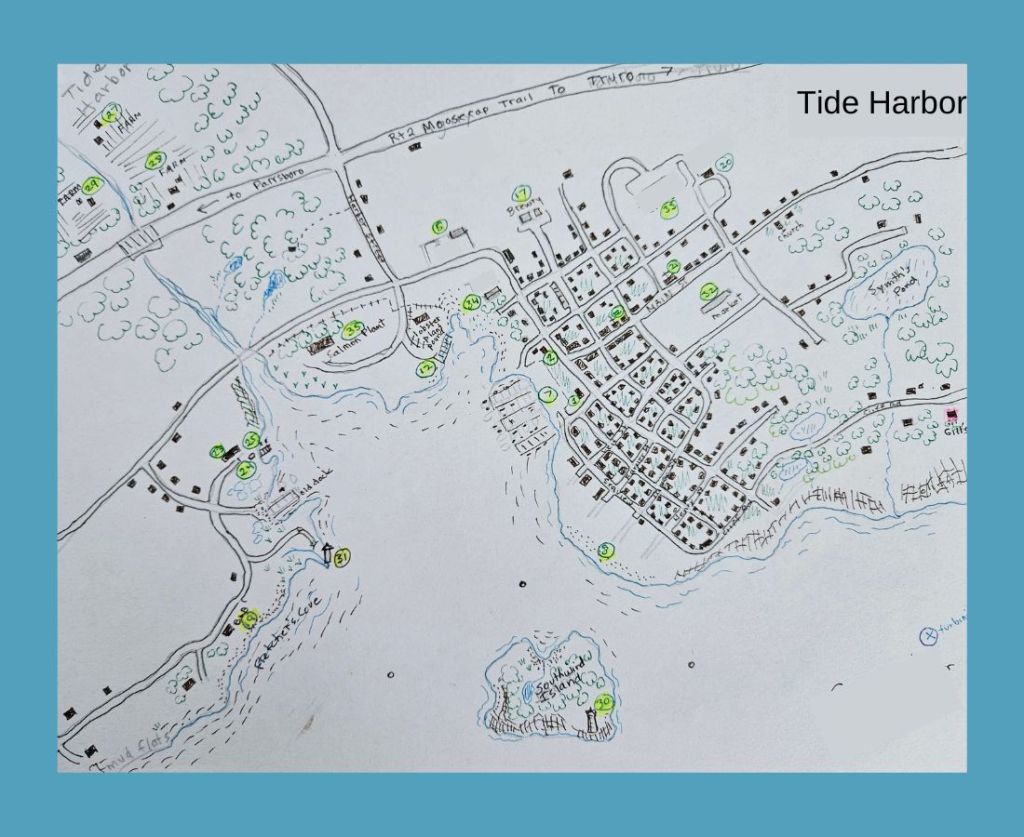
In the case of fictional Tide Harbor, I had to create my own map. To create it, I consulted google earth maps of Nova Scotia towns of a similar size for housing and road patterns, then overlaid the features on a rough layout of the coast line in the Minas Basin area.
The map below is no great work of art. It will need polishing and better numbering if I plan to use it in one of the books. It also needs more locations added. But for now, it is enough to get my story started. It was fun to make too!
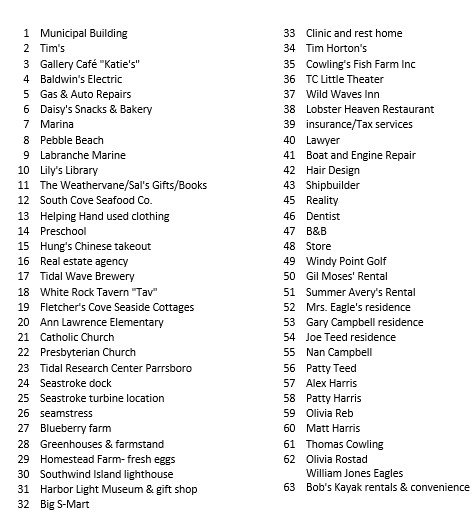
Here is the working map key. Again, this is a work-in-process.
Map-Making Resources
If you plan on making a map for your story, here are some resources to try:
Google Maps https://www.google.com/maps
If you are writing contemporary works, Google Maps is invaluable. You can drive down the streets of Miami or Orkney. You can fly over the jungles of Central America or snow-covered Antarctica. While the images are contemporary, the Earth View is also useful for giving you an idea of the terrain for areas in the past. You can examine ancient edifices from aerial views and from the ground. The possibilities are endless.
Here are some tips about Google Maps.
1. It is easier to type in a specific location and then zoom out, rather than starting with the long-distance view.
2. In street view, urban areas are better covered than rural areas where there are fewer roads. Check out the lack of detail in the Sahara desert compared to the flower pots you can see on the roofs of NYC.
3. You can use a Screen Snipping Tool to capture a particular street view or aerial view to save to your bible. A free version comes with your computer but can be hard to find. The Microsoft one is called Snip & Sketch and is in the accessories folder. Here are the Mac directions.
4. The Google map images are actually patchworks of photos taken at different times. Don’t be surprised to see completely different seasons shown. Images are replaced on a regular basis so if you save an image don’t be surprise to find the Google Map version changed the next time you look.
Searchable Digitalized Map Collections
https://www.loc.gov/maps/collections/
https://www.nypl.org/node/80186
 Tide Harbor Suspense by Zara West